STEP 1
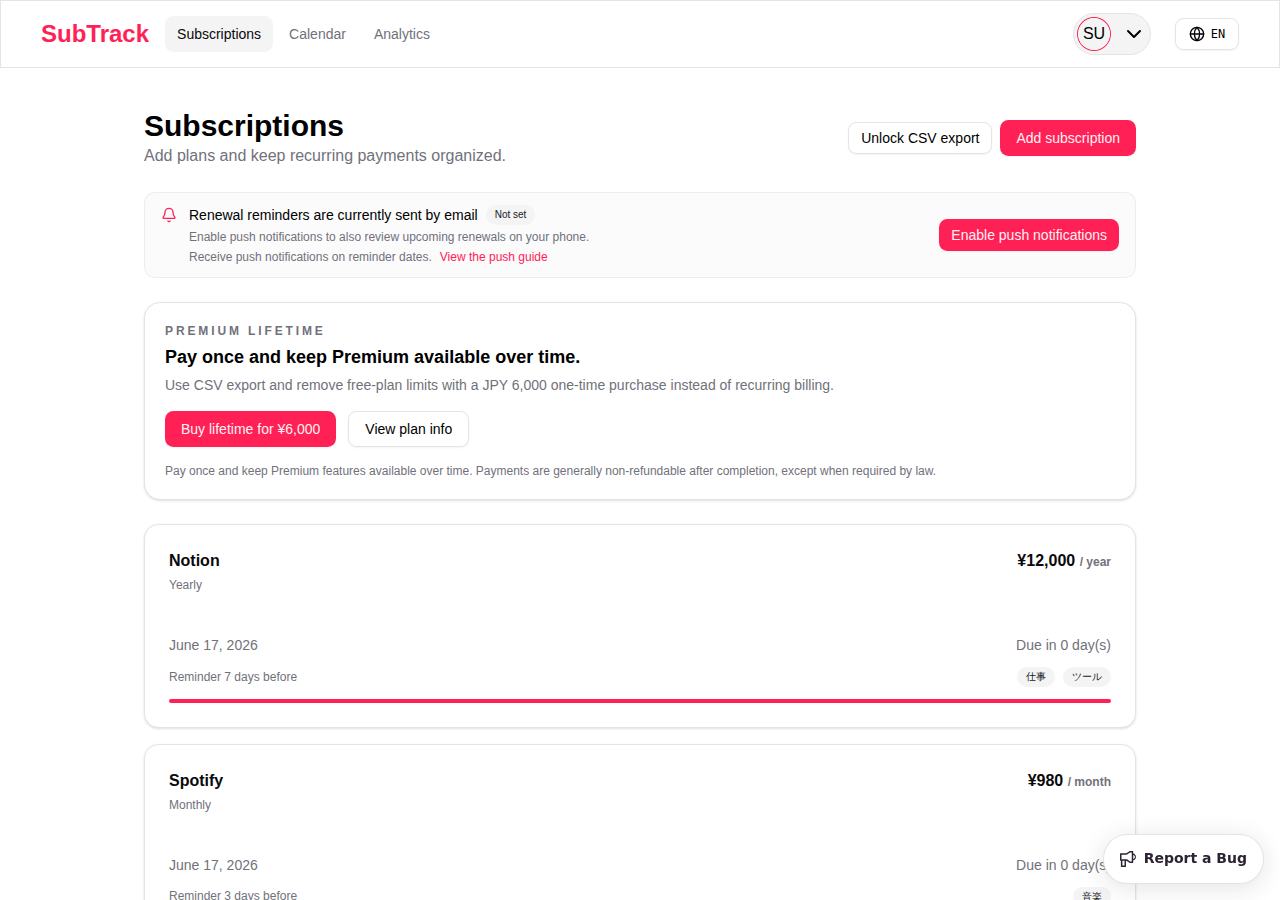
Open the subscriptions page
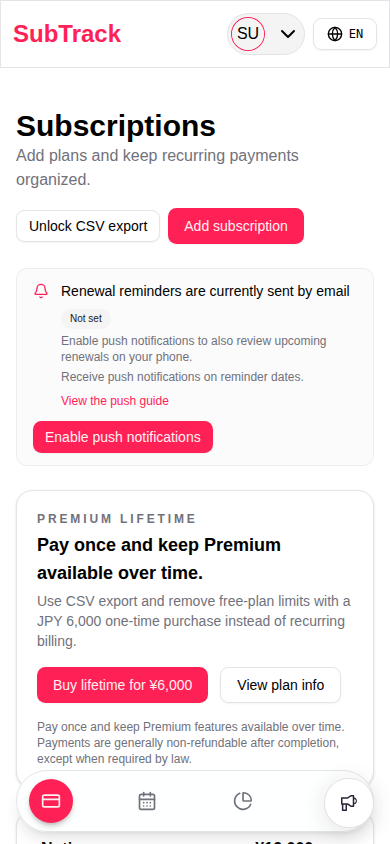
Open the subscriptions screen, find the notification area, and choose Enable push notifications.
SubTrack Push Guide
When push notifications are enabled, SubTrack sends reminders based on the billing dates and reminder settings you register. Notifications are a supporting feature and delivery or delivery timing is not guaranteed.
STEP 1
Open the subscriptions screen, find the notification area, and choose Enable push notifications.
STEP 2
When the browser permission dialog appears, choose Allow.
STEP 3
After setup, SubTrack sends reminders based on each subscription's billing date and reminder timing, as long as browser and device notifications remain allowed.
These examples show the setup flow on desktop, Android, and iPhone or iPad. Actual availability and dialogs can vary by browser, OS version, and device settings.
Browsers such as Chrome and Edge require notification permission for each site.
Battery saver or background restrictions can delay notifications.
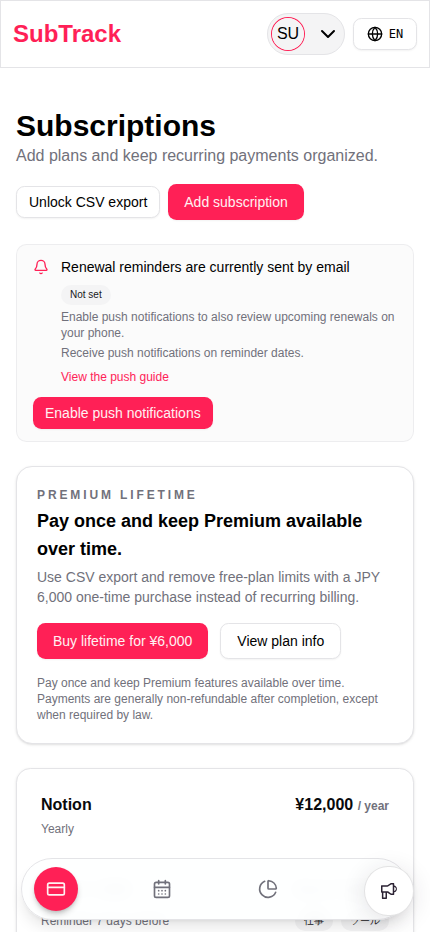
Web Push on iPhone and iPad requires an iOS or iPadOS 16.4 or later Home Screen web app. Availability and dialogs can vary by OS version, browser, and notification settings.
Yes. The SubTrack push notification feature itself is free to use. You still need to be logged in, use a supported browser, have Service Worker support, and allow notifications in your browser or device settings. On iPhone and iPad, SubTrack must be opened as a Home Screen web app.
Yes. Use Disable push notifications in the app to unsubscribe in the browser and remove the saved registration from SubTrack. You can also block notifications from your browser site settings, but that may not immediately remove the saved registration in SubTrack.
Device registration for push notifications can be switched on or off from Enable push notifications or Disable push notifications on the subscriptions page or settings page. Notification method, default reminder timing, and reminder time can be changed from the settings page.
Review browser permission, OS notification settings, background restrictions, and your network connection in that order.